User Guide
Key Terms
How MeetIQ surfaces the most-discussed terms in your meeting — and how to use Hot, Recent, and All views to jump to what matters.
Key Terms is MeetIQ’s live index of what your meeting is actually about. As people talk, MeetIQ extracts the terms being discussed and organizes them into three views — Hot, Recent, and All — so you can skim what’s currently important without scrolling the transcript.
What you’ll learn
- Recognize the Hot, Recent, and All views of key terms.
- Click a term to jump to Deep Dive context on demand.
- Understand how terms are extracted and refreshed as the meeting evolves.
Walkthrough
-
With a meeting running, look at the Key Terms panel at the top of the recording view. Terms populate within a few seconds of the first spoken exchange and refresh continuously as the meeting unfolds.
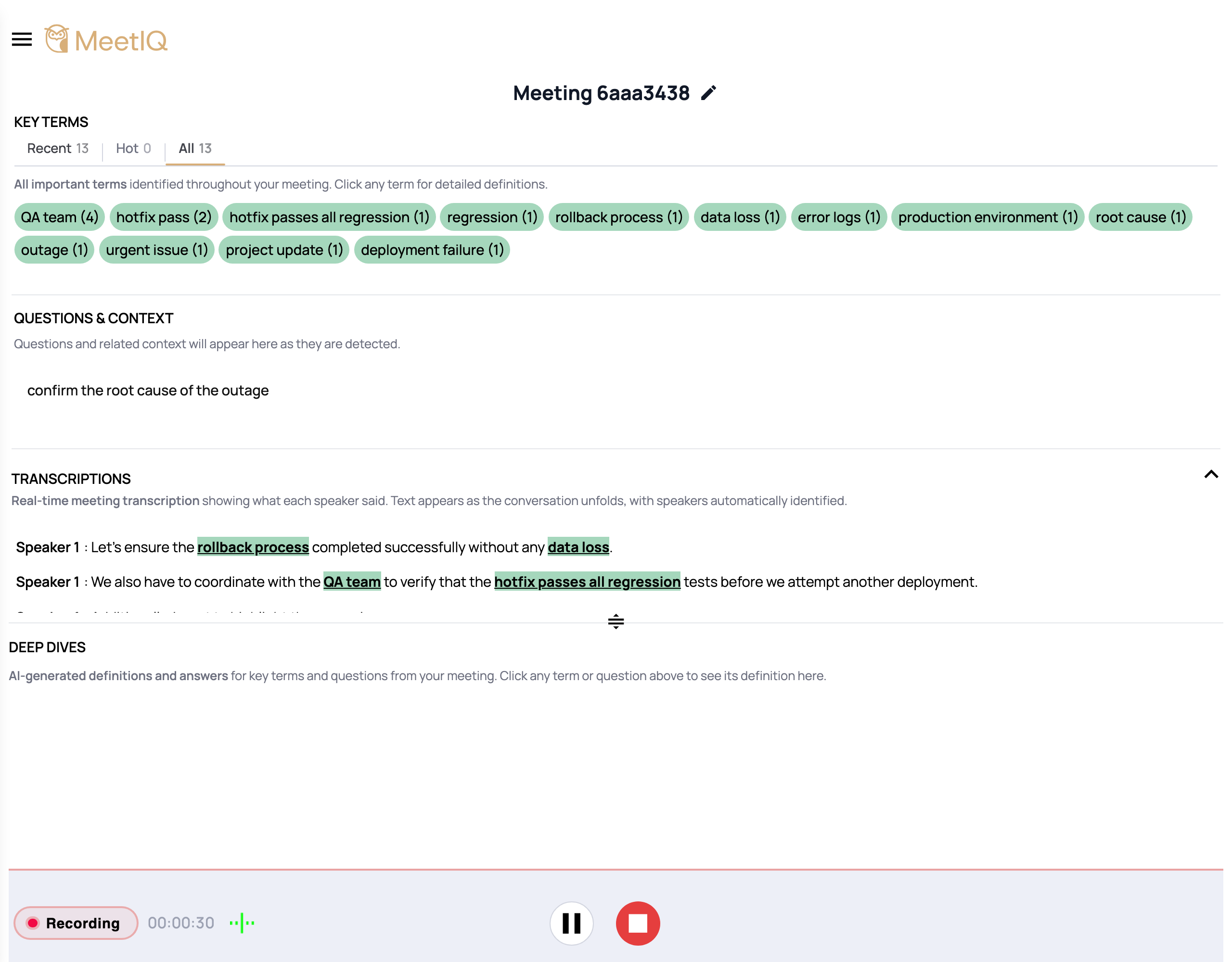
-
Toggle between Hot, Recent, and All tabs. Each gives you a different slice — Hot for what’s most-discussed overall, Recent for what’s come up in the last few minutes, and All for the full list with filters.
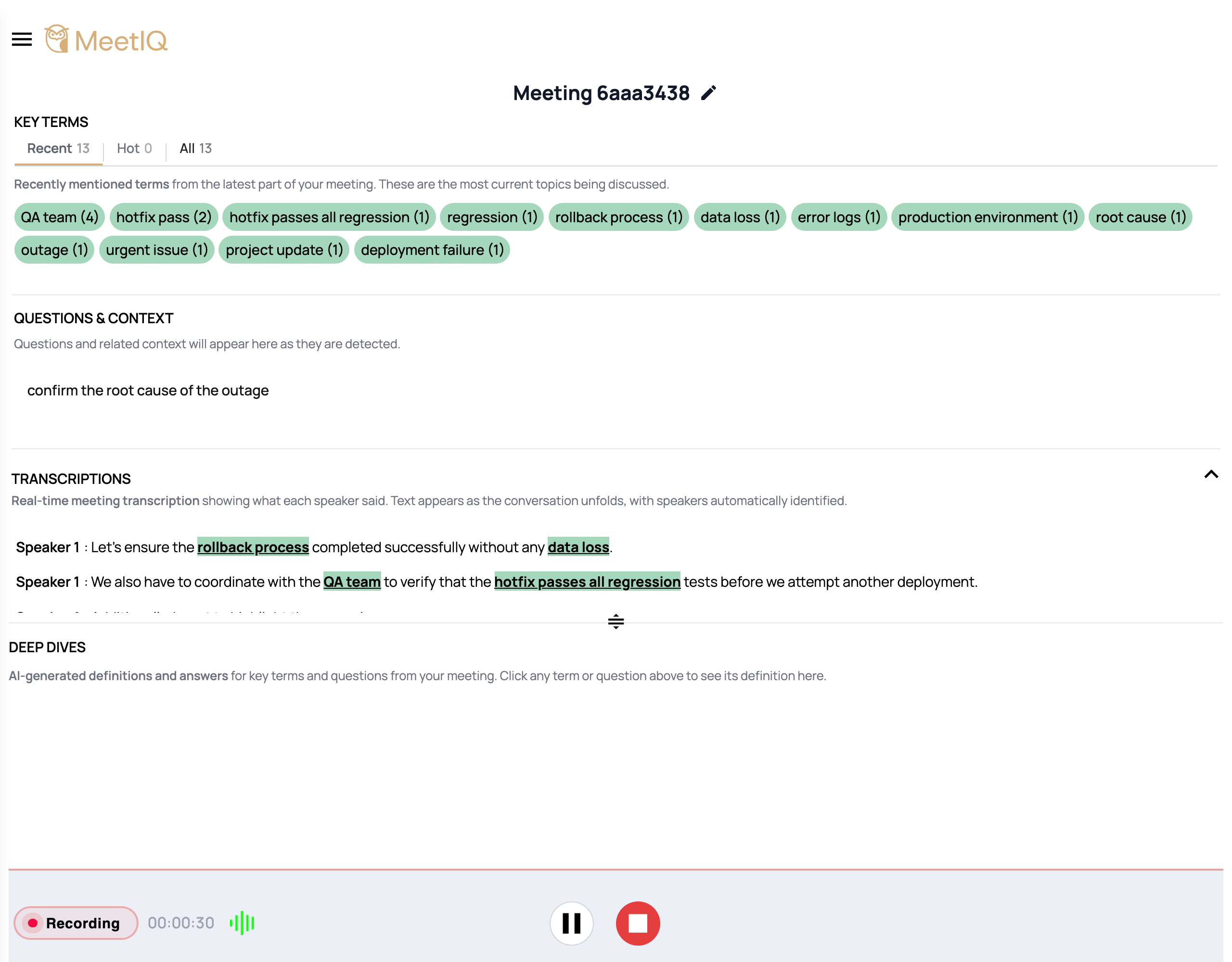
-
Click any term to open its Deep Dive. The Deep Dive card renders in the bottom pane of the recording view, where MeetIQ pulls together definitions, related conversation, and cross-references from your connected tools.
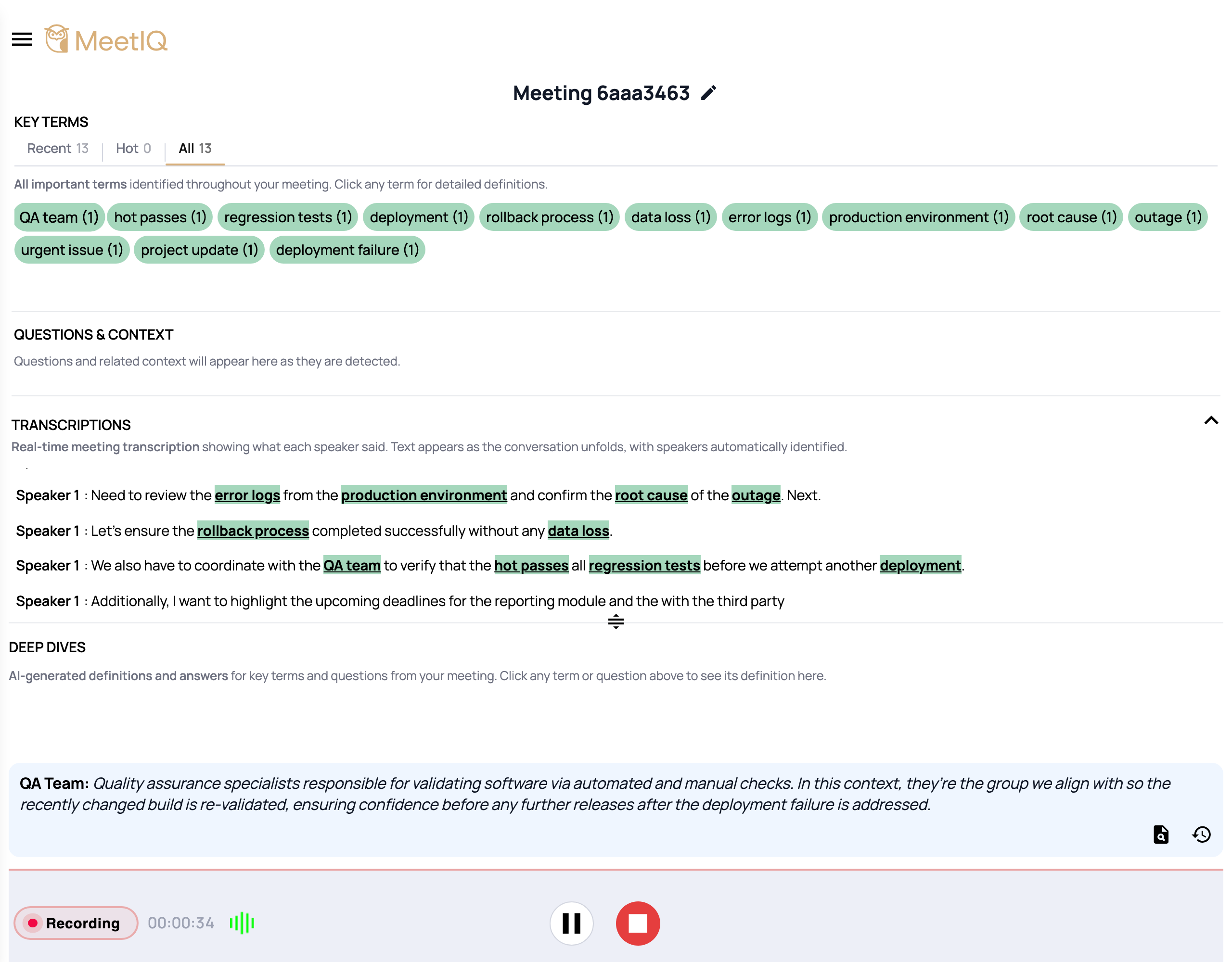
How it works
MeetIQ’s transcript is analyzed live by OpenAI to identify noun phrases, project names, technical concepts, and other terms worth surfacing. The three views are different lenses on the same underlying data:
- Hot ranks by frequency — what’s been mentioned the most across the whole meeting so far. Use this to catch a meeting’s dominant themes.
- Recent ranks by recency — terms mentioned in the last few minutes. Use this to catch what’s happening right now.
- All shows everything MeetIQ has extracted, with filters. Use this after the meeting when you’re looking for a specific term you remember hearing.
Every term is a click away from a Deep Dive, which is where MeetIQ pulls in surrounding conversation, definitions, and context from your linked integrations.